HTTP Status Codes
HTTP 301 Moved Permanently
Moved Permanently — the requested resource has been assigned a new permanent URL
A 301 is a permanent redirect response. Search engines may use it as a strong canonical signal that the destination URL should replace the old URL in indexing systems. Browsers and intermediary caches can also store 301 redirects for a long time, so the status is best understood as a persistent routing statement rather than a temporary hop.
Visual summary
A quick reference view of how HTTP 301 forwards one address to its long-term replacement.
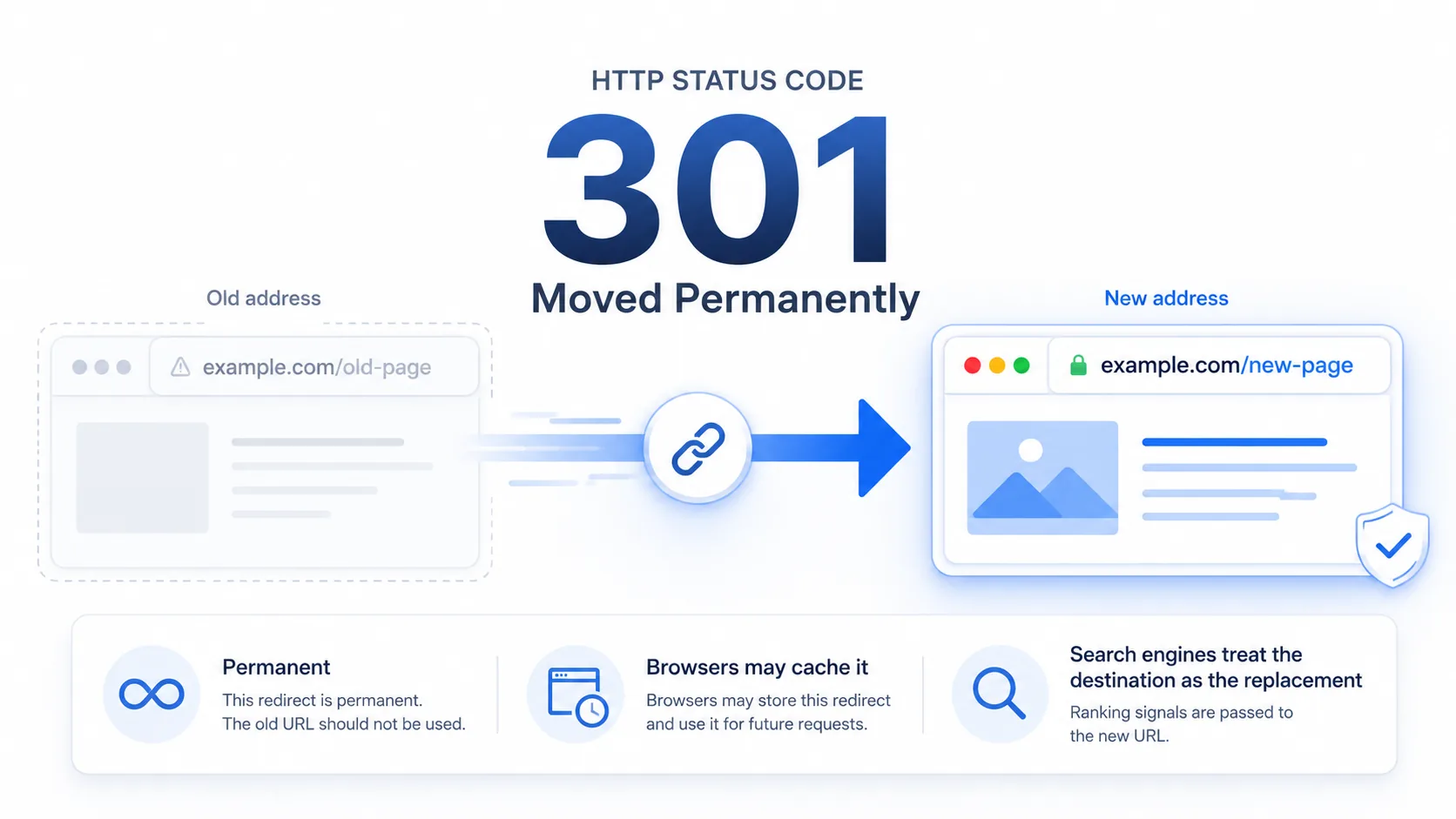
What 301 Means
The shortest useful reading of this status code.
Moved Permanently means the requested resource has been assigned a new permanent URL.
For HTTP redirects, the most important distinction is whether the move is permanent and whether the client is expected to preserve the original request method.
Quick read
Permanent URL change
A 301 tells browsers, crawlers, and caches that the old URL should be replaced by the new one.
Technical Context
How this status behaves without turning the page into a repair guide.
Location header
When a server returns a 301 status, it includes a Location header pointing to the new destination. The browser automatically follows this redirect without requiring user interaction. This preserves the user journey by ensuring they arrive at the relevant content.
Permanent signal
The architectural distinction between 301 and 302 rests on permanence. A 301 tells clients and crawlers that the original URL has been replaced by a new destination, while a 302 leaves the original URL as the expected long-term address.
Cache behavior
Because browsers can cache 301 responses aggressively, an unexpected 301 may keep appearing even after the server-side configuration has changed. This cache behavior is one reason permanent redirects are treated differently from temporary redirects.
Compare Redirect Codes
Redirect status codes look similar in search results, so this page highlights the distinctions that make 301 different.
301
Moved Permanently
the requested resource has been assigned a new permanent URL
302
Found
target resource resides temporarily under a different URI
307
Temporary Redirect
the resource temporarily resides at a different location
308
Permanent Redirect
the resource was permanently moved without method changes
Common Causes
Domain or hostname migration
The old host points visitors and crawlers toward a replacement hostname.
Permanent URL structure change
A legacy path maps to a new long-term path after a site restructure.
HTTP-to-HTTPS canonicalization
The unsecured address is permanently directed to the secure version.
Content consolidation
Several older URLs now resolve to one surviving reference or canonical page.
Typical Scenarios
A user visits an old bookmark after a completely new website migration
A search engine crawls a legacy path that was restructured
Traffic arriving on unencrypted connections is forwarded to the secure port
What To Know
A 301 redirect is standard web behavior and rarely indicates a failure by itself. If it appears in an unexpected place, the broader pattern usually points to routing policy, cached redirect state, canonical URL rules, or a redirect loop rather than a missing page.
Frequently Asked Questions
Common interpretation questions about HTTP 301.
No. A 301 is a normal permanent redirect signal. Google treats permanent redirects such as 301 and 308 as strong signals that the destination should become the canonical URL, although final indexing behavior still depends on the full set of search signals.
A 301 can persist because browsers and caches may store permanent redirects for a long time. The visible behavior may therefore reflect cached redirect state, a canonical URL rule, or a server-side routing rule rather than a new response generated on every visit.
A 301 is permanent, meaning search engines update their indexes. A 302 is temporary, meaning the original URL should be preserved in indexes.
When Googlebot encounters a 301, it consolidates ranking signals from the old URL onto the new one. This includes PageRank from external backlinks, internal link equity, and historical trust signals. The transfer is not instantaneous -- it typically takes weeks for Google to fully process the consolidation and drop the old URL from the index.