HTTP Status Codes
HTTP 423 Locked
Locked
The 423 status originates from the WebDAV extension to HTTP, indicating the requested resource is currently locked against modification by another client, process, or system operation.
Visual summary
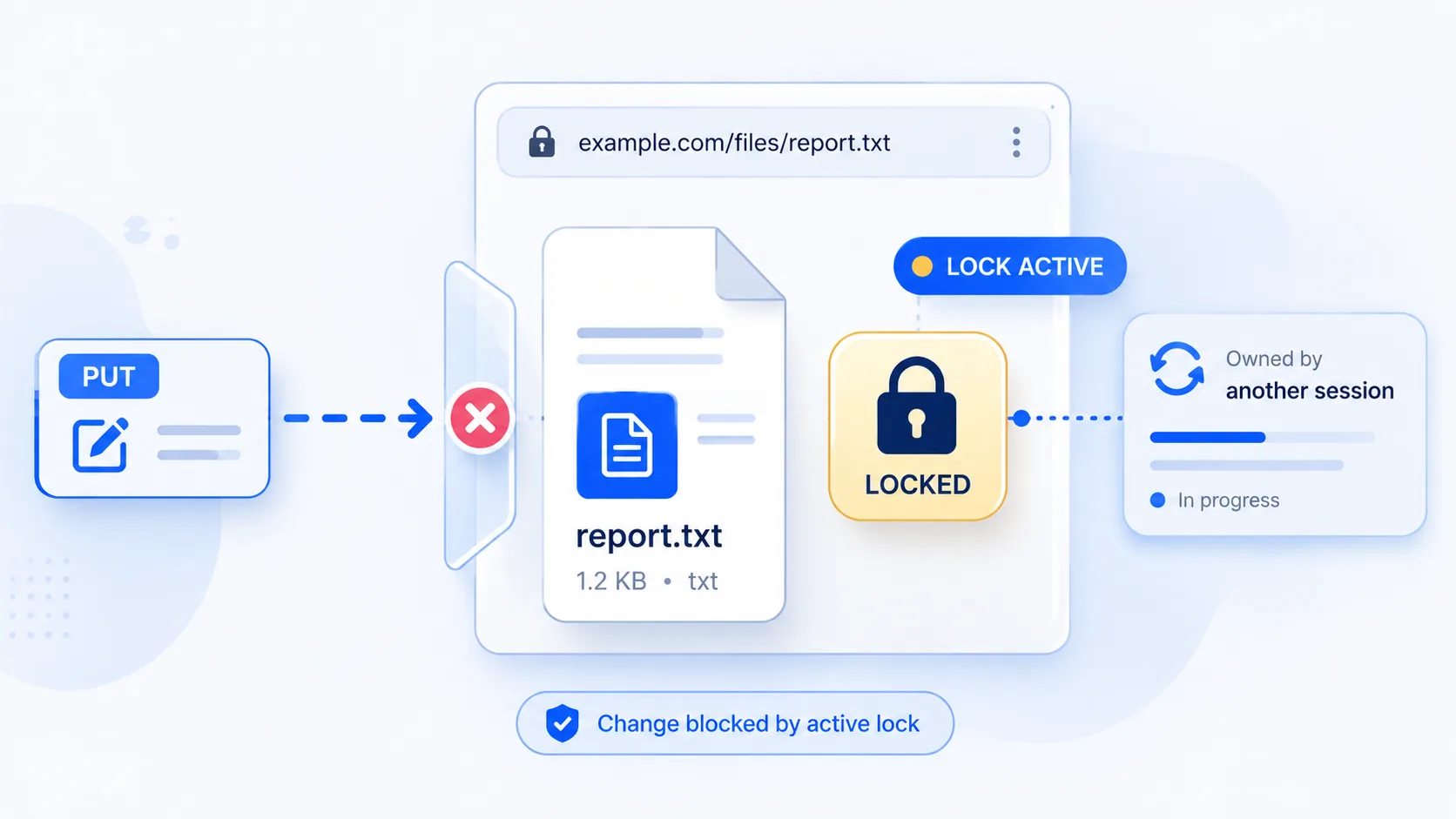
A quick reference view of how HTTP 423 marks a resource as present but currently locked against write or edit operations.
What 423 Means
The shortest useful reading of this status code.
Locked.
For locked resources, the key distinction is that access is blocked by a lock state rather than by simple absence or unsupported behavior.
Quick read
Resource currently locked
A 423 means the resource is not available for modification while a lock is active.
Technical Context
How this status behaves without turning the page into a repair guide.
Lock state
Pessimistic locking mechanisms use 423 to prevent race conditions during collaborative editing or heavy operational writes.
Write protection
Any modifying request (like PUT, POST, or DELETE) will fail with 423 until the lock is released or strictly expires.
Resource ownership
The 423 status code originated in WebDAV (RFC 4918) to indicate that a resource is locked and cannot be modified. While initially designed for WebDAV file-locking operations, some modern API frameworks and content management systems repurpose 423 to indicate that a resource is in a locked or read-only state for other reasons -- for example, a document undergoing editorial review, a record locked by another transaction, or a resource temporarily frozen by an administrative policy.
Architecture
A key distinction exists between 423 and 409 Conflict: 409 indicates a general conflict state that might be resolvable by changing the request, while 423 specifically means a lock mechanism is preventing the operation. The lock may be time-limited with an expiration or persistent requiring explicit unlock. Clients receiving 423 should not immediately retry without first resolving the lock condition.
Related HTTP Codes
Nearby HTTP status codes help clarify how 423 differs inside the same response family.
423
Locked
The 423 status originates from the WebDAV extension to HTTP, indicating the requested resource is currently locked against modification by another client, process, or system operation.
409
Conflict
the request clashes with the current state of the target resource
424
Failed Dependency
the request depends on another action that did not succeed
Common Causes
File locked by WebDAV
A WebDAV resource is reserved by a lock token or active editing session.
Database row lock in progress
A backend operation temporarily prevents competing writes to the same record.
Resource undergoing maintenance
The resource is held in a protected state while another operation is underway.
Typical Scenarios
A team member leaves a network document open, locking it.
A system process is actively writing to a file, temporarily locking external write access.
A collaborative document editing system locks a file while one user is editing it, returning 423 to other users who attempt to save changes simultaneously
What To Know
A 423 response is a state signal rather than a simple missing-resource signal. It usually means the resource exists, but modification is blocked while a lock is active or while another operation owns the resource state.
Frequently Asked Questions
Common interpretation questions about HTTP 423.
It usually means another application, user, or system process currently holds a lock on the file, record, or resource being modified.
409 indicates a general conflict that the client might resolve by modifying the request. 423 specifically means a lock is held on the resource, preventing the operation. The lock may need to expire, be released by the lock holder, or be administratively removed.
While 423 originated in WebDAV, some modern CMS platforms and API frameworks use it outside WebDAV contexts to indicate a resource is in a locked state. The common thread is that an explicit lock or freeze mechanism is blocking the operation.